For accounting firms
Your whole firm and every client in one place.
Zbroj.ai is a workspace for accountants. Tasks and deadlines for all clients, VAT, payroll and JOPPD on one board, and clients send their documents into the app instead of by email and WhatsApp. Keep posting in your own accounting software.
Free until 31 December 2026 · no card · no commitment
You open the firm yourself, right away — it takes a few minutes. If you would rather see the app first, book a demo.
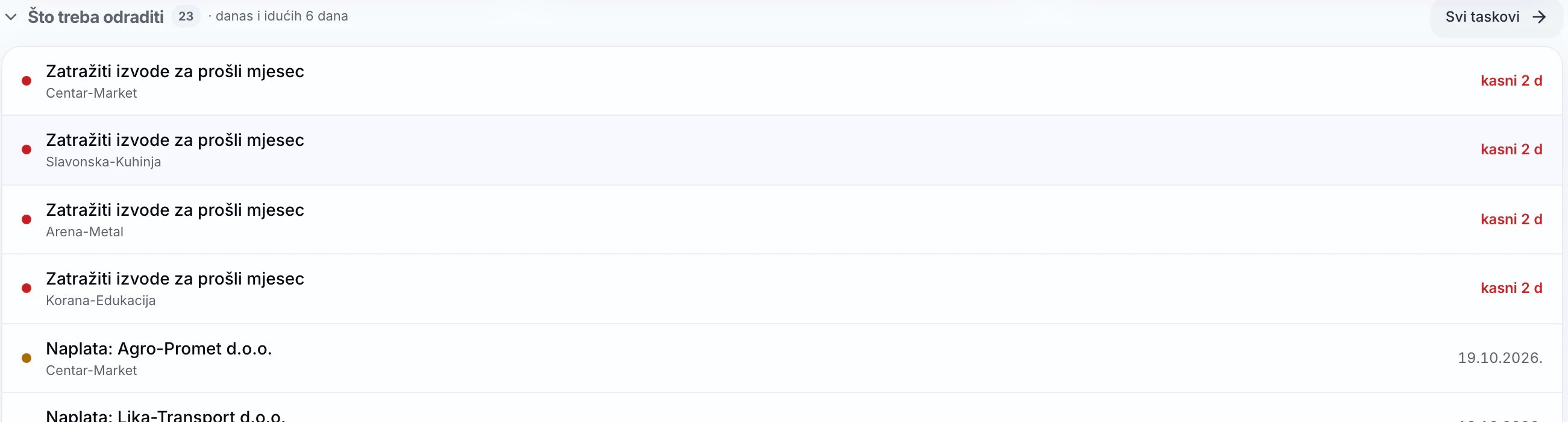
What eats your time today, in one place
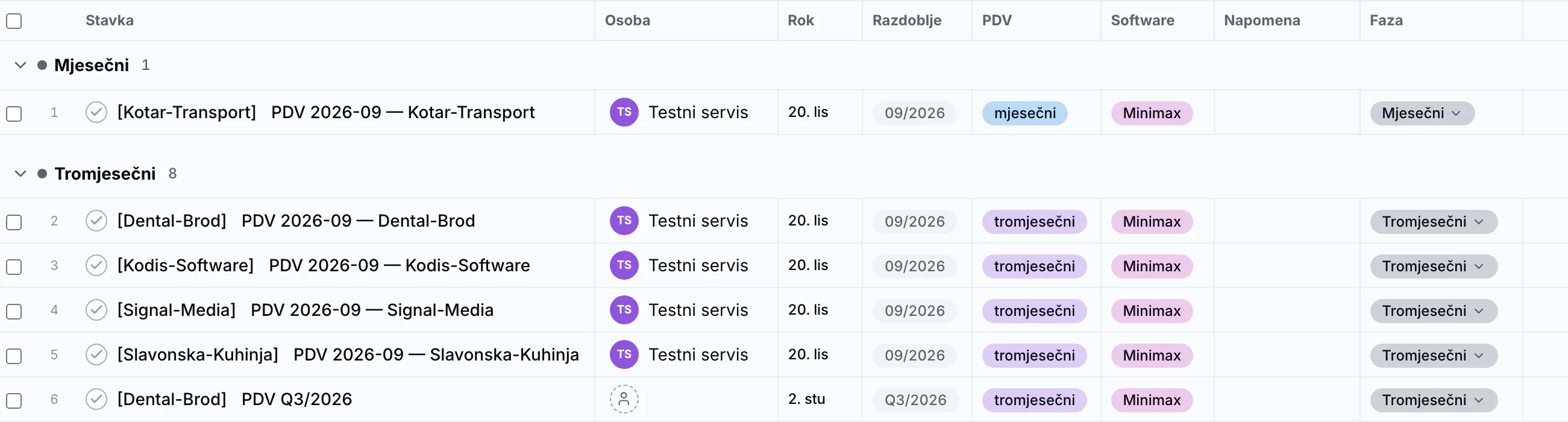
VAT and payroll open on their own, JOPPD once you confirm
Tick what you do for a client on their profile. Every period gets an item with a deadline and stages: papers in, in progress, done, filed. The JOPPD item is created from a finished payroll, once you confirm it and set the deadline. A finished item opens the next period.
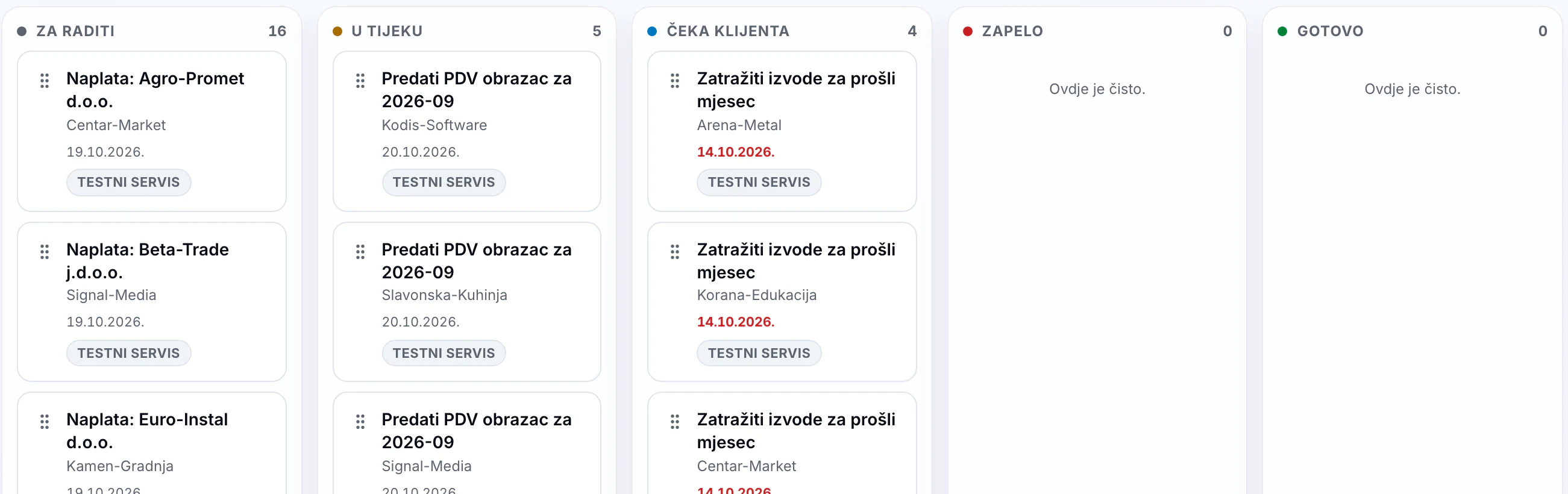
Tasks as a list, board or calendar
Each task has a client, an owner and a deadline, optionally a time slot. Tasks repeat monthly, quarterly or yearly. Overdue tasks always stay in the Today tab, so nothing slips.
Clients see what you need
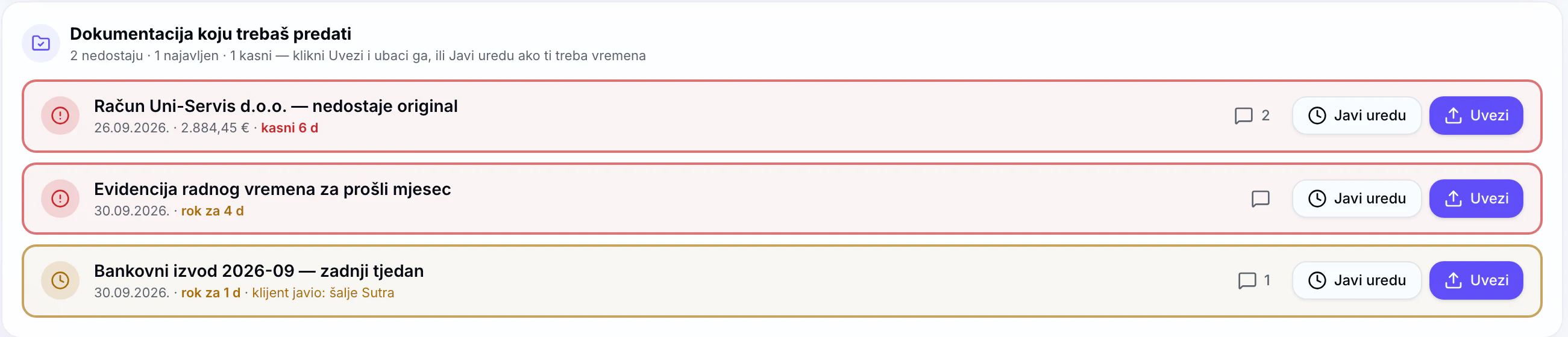
On their home screen clients see missing documents in red, each with an Upload button. A phone photo or PDF arrives under the right company, and questions go to Messages instead of private WhatsApp.
Add a colleague or assistant in a minute
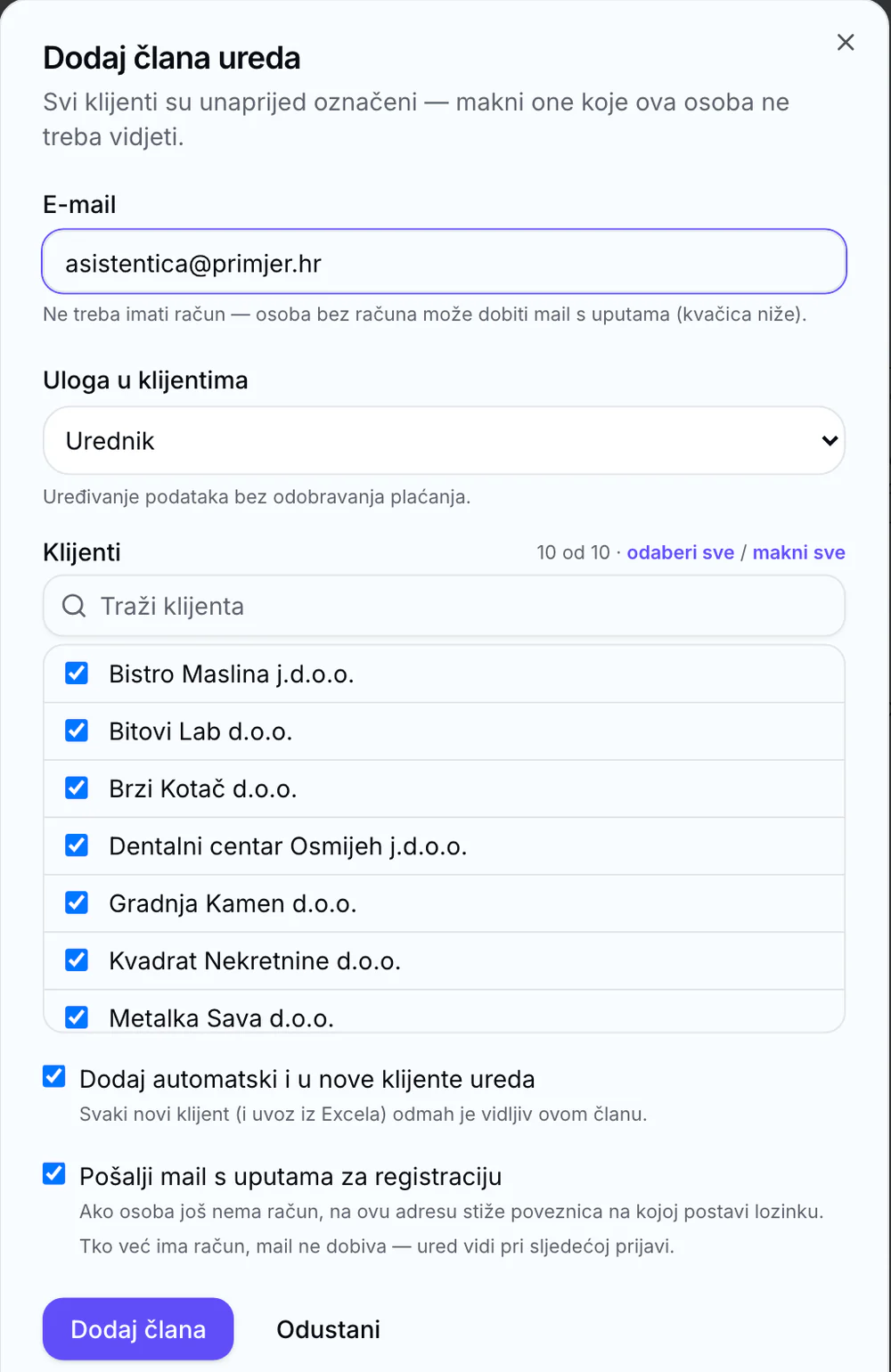
Add a team member and pick a role. All clients are preselected — untick the ones they should not see. New clients can be added to them automatically.
And more
Import clients from Excel
All sheets, a preview of every row before saving, no duplicates and no companies in bankruptcy.
AI assistant in Croatian
Ask by typing or by voice: what a client owes, what is overdue, the VAT position or how to do something in the app. It suggests, you decide.
New employees from clients
Clients register a new employee in three steps, and you get a task with a deadline and the documents.
Messages from every client
One conversation per client, all on one screen, with unread counts on the firm home.
Documents from the client profile
Service agreements, powers of attorney for HZMO and HZZO and other documents from client data and your templates.
Tasks from outside
Your own tool, such as a voice-message bot, sends tasks straight into Zbroj with the firm's key.
How to start
- 1
Open your firm for free
Sign up and your firm is open under your own name in a few minutes. No card, no commitment. If you like, we'll show you the app on your own clients first.
- 2
Import your clients
From Excel or one by one. Tick on each profile what you do for them.
- 3
Add your team and clients
Colleagues go into the firm team; give clients access. Each client sees only their own company.
You open the firm yourself, right away — it takes a few minutes. If you would rather see the app first, book a demo.
For accounting firms
- Zbroj.ai app
- until 31 Dec 2026
- Price
- €0.00
- Card
- not needed
- Commitment
- none
Total
Free until 31 December 2026
Alongside your software, not instead of it
Zbroj.ai does not keep the books for you. Keep posting in your own software, while Zbroj retrieves the data and lays it out for you and your client. Data arrives automatically from Minimax. With Synesis, data is exchanged through files: transfer invoices from Zbroj to Synesis, then once a month upload the trial balance, open items, VAT and JOPPD from Synesis to Zbroj to get the same client financial overviews as with Minimax.
- Nothing is posted or paid without your click.
- Every client is separated: they see only their own company, and a team member only the clients you assign.
- On first login, clients accept the terms and the data processing agreement with your firm.
- Login can be protected with two-factor authentication.
- The app and the database are in the European Union.
Questions from accounting firms
What does Zbroj cost after two months?
We announce the price for firms before the trial ends. Nothing is charged automatically and no card is needed.
Do I have to stop using Minimax?
No. Zbroj works alongside Minimax: you post as before, and Zbroj reads the data for you and your client.
I use Synesis or other software. Can I use Zbroj?
Yes. Zbroj connects to Synesis through files: transfer invoices from Zbroj to Synesis, then once a month upload the trial balance, open items, VAT and JOPPD from Synesis to Zbroj. This gives you the same client financial screens as with Minimax, from which data arrives automatically. If you use other software, the firm workspace, tasks, projects with deadlines, clients, team, documents, messages and the AI assistant work without a connected program, and you can populate the financial overviews from uploaded reports.
How do my clients get into Zbroj?
Give them access on the client profile or invite them by email. On first login they accept the terms and the privacy notice, and they see only their own company.
Does Zbroj file VAT or JOPPD returns?
No. Zbroj tracks the deadline and stage for every client; you file from your own software as before.
Where is the data?
The app and the database are in the EU (Frankfurt and Ireland). For AI features we use a US-based language model provider under EU standard contractual clauses; the data is not used to train the model.
Try Zbroj with your own firm
Free until 31 December 2026, no card. Open your firm yourself, and if you like, we will show you the app with your own clients.
You open the firm yourself, right away — it takes a few minutes. If you would rather see the app first, book a demo.
Looking for an accountant for your company? See our accounting service